
01
Drop your video
MP4, MOV, WebM, up to 4GB. No upload bar. It just lands, and stays on your device.
Drop a clip, type what you want, get the cut back in seconds. Reframe, caption, grade, fix the audio, all in your browser. Your footage never leaves your device.
Try it free, no account needed. Works fully offline. All download options →
Most web editors sneak your video to the cloud. We run the whole thing locally, the AI only ever sees your words, not your pixels.
No tutorials. No track spaghetti. Just a chat box that edits your video.
MP4, MOV, WebM, up to 4GB. No upload bar. It just lands, and stays on your device.
Reframe, caption, trim, grade, fix the audio. Say it how you’d say it out loud.
Cut comes back in seconds. Fork it, tweak it again, or export to any platform.
40+ tools. No menus to memorize. Each one is basically a sentence.
Whisper captions on your device. Word-perfect timing. Hormozi energy included.
Any aspect ratio, face-tracked so your subject doesn't wander out of frame.
Mute the room noise. Boost the voice. Sound like you meant to record there.
Cinematic, warm, cool, VHS, black and white. Pick a vibe, not a LUT panel.
Every prompt forks a version. Stitch clips, swap audio, picture-in-picture.
One tap to the right spec for TikTok, Reels, Shorts, Discord, GIF, whatever.
Auto-detect faces and blur them. Bystanders stay anonymous.
0.25x to 4x speed. Slow-mo that doesn't look like a slideshow.
Stabilize, reverse, rotate, boomerang, watermark, normalize, denoise…
Whisper runs on your machine, works out the language on its own, and times every word.
Word-level timing from Whisper, burned in with libass, so captions look the same everywhere you post them.
The prompt bar handles most of it. For the rest there's Studio: a real multitrack timeline in the same tab, with frame-accurate trims and an agent that works it with you.
Screen, voice and camera in one take. Supercut redraws the cursor, adds the zooms, and seats it on a backdrop, so a plain capture looks like a launch video.
For the shoot with 40 clips in it, not the one clip you dragged in.
One prompt, every clip in the folder. They queue up locally and come back edited, one at a time, so your machine keeps up.
Save the rule once. Sync the folder and anything that landed since gets the same treatment, without you asking again.
@-mention any clip in the project to stitch it onto the end, drop it in picture-in-picture, or borrow its audio.
Folder access uses the File System Access API: Chrome, Edge and the desktop app. The folder stays on your disk, we only read the clips you open.
Each edit forks the one before it instead of overwriting it. Step back through the tree, branch off an earlier take to try something else, and download any version you like. The clip you started with is still sitting there, untouched.
| Feature | Supercut | Cloud editor |
|---|---|---|
| Footage never leaves your device | ✓ | ✕ |
| Edit by chatting in plain English | ✓ | Varies |
| Works fully offline | ✓ | ✕ |
| No upload wait time | ✓ | ✕ |
| Branch & version every edit | ✓ | Varies |
| Try free, no account | ✓ | Varies |
“Cloud editor” means the usual browser tools that upload your footage to process it. Specific products vary. Supercut's on-device claims? Turn off wifi and try it.
Native 4K playback, a silky-smooth timeline, and the same zero-upload editing you trust. Mac and Windows.
The desktop app runs a local MCP server. Point Claude Code, Cursor, or any MCP client at it and let it cut, trim and caption while you watch. It listens on loopback only, so nothing leaves the machine. Copy the command from Agent in the app — it includes your install token. Without that header the server returns 401.
claude mcp add --transport http supercut http://127.0.0.1:41414/mcp --header "Authorization: Bearer <token from the app>"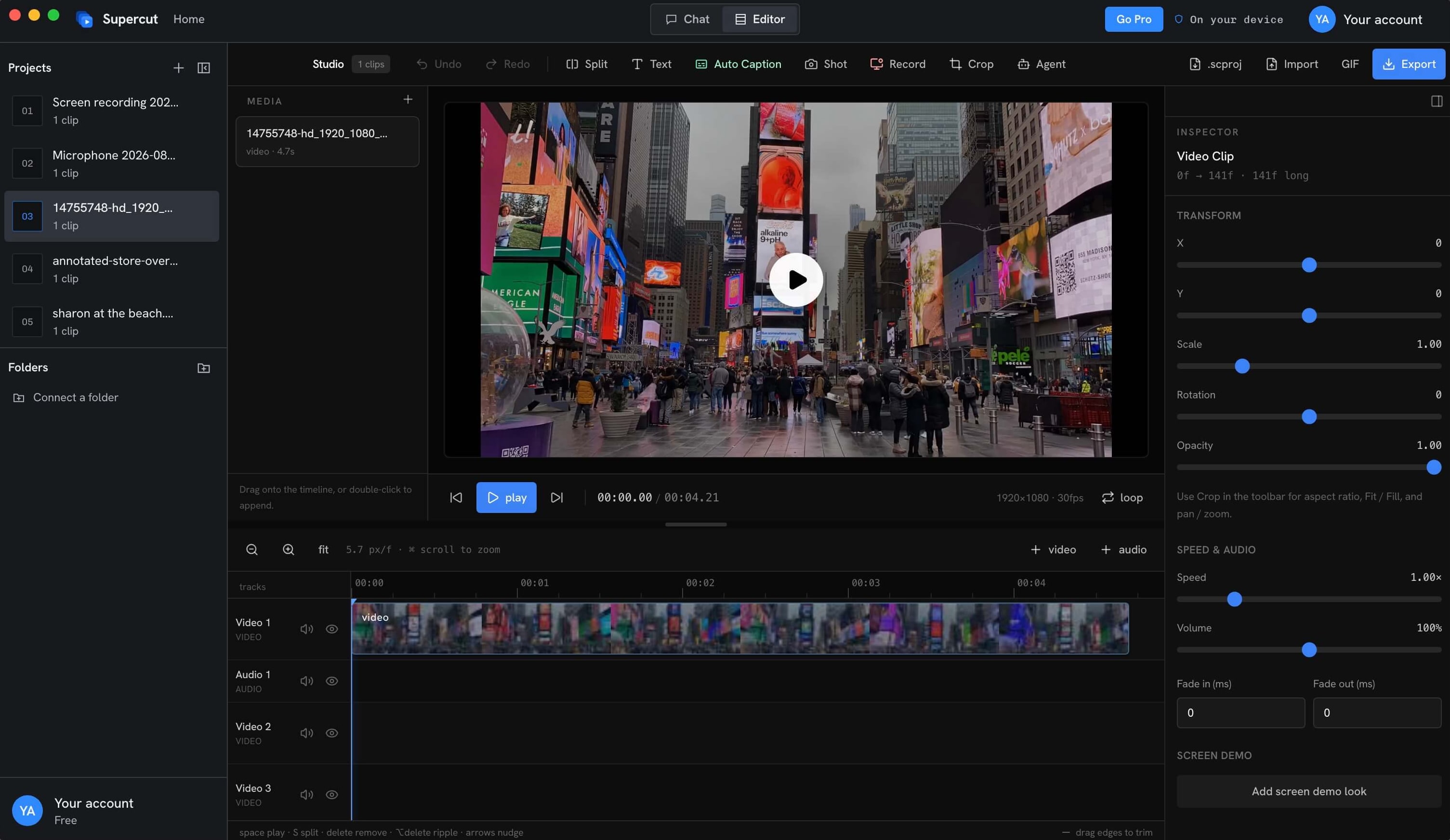
Try it free with no account. Both plans unlock the entire editor, the only difference is whether you rent it or own it. Your footage never leaves your device either way.
30% off applied. Use FIRST30 at checkout, while it lasts.
Everything, for as long as you subscribe.
First year $41.92 with FIRST30, then $59.88 a year
Includes:Pay once. Yours for good.
With FIRST30. One payment, no renewal, every future update.
Includes:Free to start, no account needed. Nothing gets uploaded. You'll get it once you try it.